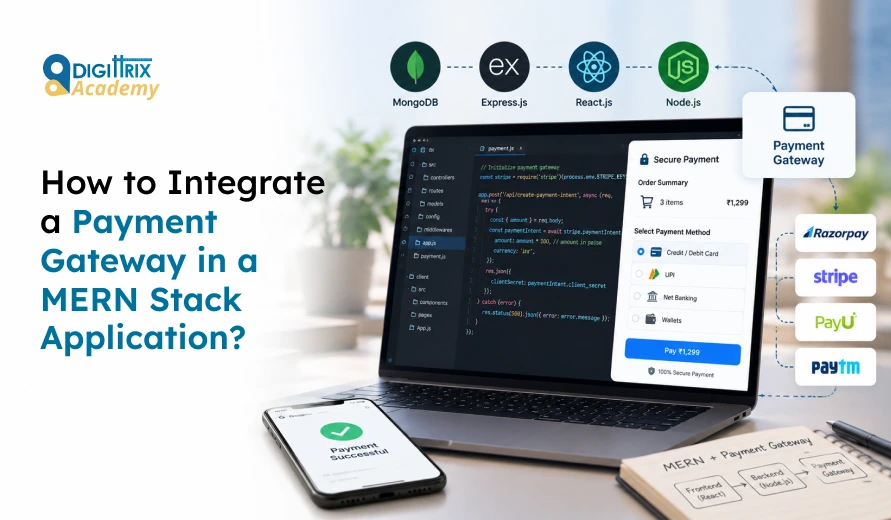
Short answer: For MERN stack payment gateway integration, create an order on your Node and Express server, open the gateway’s checkout window from your React app, verify the payment signature on the server, and store the result in MongoDB. Add a webhook as a backup so a closed browser tab never leaves a paid order marked as unpaid.
Most payment bugs stem from one bad habit: trusting the browser. A customer’s device can send any message it wants. Your server must be the only place that decides whether money arrived.
This guide covers Razorpay integration in React and Node.js, using INR payments as the example, since it suits Indian businesses that need UPI, cards, and netbanking. The same flow works for Stripe, PayPal, and other gateways with minor changes to names and methods.
Starting your web development journey? Check Digittrix Academy's guide to the best MERN Stack learning path for beginners to understand which skills to learn first and how to progress toward building full-stack web applications!
What Does MERN Stack Payment Gateway Integration Mean?
A payment gateway is the service that collects card, UPI, or bank details, communicates with the bank, and tells you whether the payment was successful. Payment gateway API integration means connecting that service’s API to your own code.
Each part of MERN has a clear job:
- React shows the cart and opens the checkout window.
- Node and Express hold your secret keys, create orders and check payment proof.
- MongoDB stores orders, payment IDs and status history.
Card details never touch your server. The gateway’s checkout window handles them, which keeps your PCI DSS workload much smaller.
Which Payment Gateway Should You Pick?
|
Gateway |
Best for |
Points to check |
|
Razorpay |
Indian stores needing UPI, cards, netbanking and wallets |
INR focus, test mode available, strong Node SDK |
|
Stripe |
Global card payments and subscriptions |
Check availability for your business type and country |
|
PayPal |
Buyers outside India who prefer wallet payments |
Fees and currency conversion rules |
Choose based on where your customers live, which payment methods they use, and what the settlement rules look like. These factors shape your MERN stack payment gateway integration more than any code choice. For an Indian audience, UPI support matters a great deal because many buyers prefer paying through a UPI app rather than typing card numbers.
What Do You Need Before You Start MERN Stack Payment Gateway Integration?
- Node.js and npm installed
- A running MongoDB database (local or Atlas)
- An Express server and a React app
- A gateway account with test keys
- A .env file kept out of Git
Install the packages:
bash
npm install express mongoose razorpay dotenv cors
Store your keys in .env:
RAZORPAY_KEY_ID=your_test_key_id
RAZORPAY_KEY_SECRET=your_test_key_secret
RAZORPAY_WEBHOOK_SECRET=your_webhook_secret
The key ID is public. The key secret must stay on the server only.
Step 1: How Do You Create an Order for Online Payment Processing in Node.js?
An order tells the gateway how much the customer will pay. Create it on the server so nobody can change the price in the browser.
javascript
const Razorpay = require("razorpay");
const razorpay = new Razorpay({
key_id: process.env.RAZORPAY_KEY_ID,
key_secret: process.env.RAZORPAY_KEY_SECRET,
});
app.post("/api/payment/create-order", async (req, res) => {
const cart = await Cart.findById(req.body.cartId);
const amountInPaise = cart.total * 100;
const order = await razorpay.orders.create({
amount: amountInPaise,
currency: "INR",
receipt: `rcpt_${cart._id}`,
});
await Payment.create({
orderId: order.id,
cartId: cart._id,
amount: amountInPaise,
status: "created",
});
res.json({ orderId: order.id, amount: order.amount });
});
Two points matter here. Amounts are stored in the smallest currency unit, so ₹499 becomes 49900 paise. The total comes from your database, not from the request body.
Step 2: How Do You Open Checkout in React?
Load the gateway script, call your server for an order, and open the window.
javascript
const payNow = async () => {
const { data } = await axios.post("/api/payment/create-order", { cartId });
const options = {
key: process.env.REACT_APP_RAZORPAY_KEY_ID,
amount: data.amount,
currency: "INR",
order_id: data.orderId,
name: "Your Store",
handler: async (response) => {
await axios.post("/api/payment/verify", response);
navigate("/order-success");
},
};
new window.Razorpay(options).open();
};
Add <script src="https://checkout.razorpay.com/v1/checkout.js"></script> to your index.html. The handler runs after the customer pays, but treat it only as a signal to ask your server for confirmation.
Step 3: How Do You Verify the Payment on the Server?
After payment, the gateway returns three values: the order ID, the payment ID, and a signature. Your server rebuilds the signature using the secret key and compares it.
javascript
const crypto = require("crypto");
app.post("/api/payment/verify", async (req, res) => {
const { razorpay_order_id, razorpay_payment_id, razorpay_signature } = req.body;
const expected = crypto
.createHmac("sha256", process.env.RAZORPAY_KEY_SECRET)
.update(`${razorpay_order_id}|${razorpay_payment_id}`)
.digest("hex");
if (expected !== razorpay_signature) {
return res.status(400).json({ message: "Invalid signature" });
}
await Payment.findOneAndUpdate(
{ orderId: razorpay_order_id },
{ status: "paid", paymentId: razorpay_payment_id }
);
res.json({ message: "Payment verified" });
});
If the signatures do not match, mark the payment as failed. Never mark an order as paid just because the React app says so.
Step 4: What Should the Schema Look Like for MongoDB Payment Transaction Management?
Keep a separate payment record from the order record to give you a clean audit trail.
javascript
const paymentSchema = new mongoose.Schema({
orderId: { type: String, unique: true },
paymentId: String,
cartId: { type: mongoose.Schema.Types.ObjectId, ref: "Cart" },
amount: Number,
currency: { type: String, default: "INR" },
status: { type: String, enum: ["created", "paid", "failed", "refunded"] },
}, { timestamps: true });
Timestamps, status changes, and gateway IDs help your support team resolve disputes quickly. They also help when an accountant or investor requests proof of a transaction..
Step 5: Why Do You Need a Webhook?
A customer may pay, then close the tab, lose signal, or hit the back button. Your verify route never runs. A webhook solves this by having the gateway call your server directly when the payment status changes. Good online payment processing in Node.js always includes this backup.
javascript
app.post("/api/payment/webhook", express.raw({ type: "application/json" }), async (req, res) => {
const signature = req.headers["x-razorpay-signature"];
const expected = crypto
.createHmac("sha256", process.env.RAZORPAY_WEBHOOK_SECRET)
.update(req.body)
.digest("hex");
if (signature !== expected) return res.status(400).send("Invalid");
const event = JSON.parse(req.body);
if (event.event === "payment.captured") {
const p = event.payload.payment.entity;
await Payment.findOneAndUpdate({ orderId: p.order_id }, { status: "paid", paymentId: p.id });
}
res.status(200).send("OK");
});
Use the raw request body for the signature check. If express.json() runs first, the body changes and the check fails. Also make the handler idempotent, since gateways may resend events.
Step 6: How Do You Test Before Going Live?
Run every case in test mode before you finish your MERN stack payment gateway integration:
- A successful card payment
- A successful UPI payment
- A failed payment
- A closed checkout window
- A tampered signature (change one character and confirm your server rejects it)
- A webhook arriving before the verify call
- A duplicate webhook
Use your gateway’s test cards and test UPI IDs as outlined in its documentation. Switch to live keys only after all seven cases pass.
What Security Rules Should You Follow for Secure Payment Integration in MERN Stack?
- Keep secret keys in environment variables, never in React code or Git.
- Calculate prices on the server.
- Use HTTPS on every route.
- Check signatures on both verify and webhook routes.
- Rate-limit payment routes to slow down abuse.
- Store only gateway IDs, never card numbers or CVV values.
- Log payment events with timestamps.
- Follow RBI rules on card data storage and tokenisation if you handle saved cards.
Your gateway’s documentation and the PCI Security Standards Council’s guidance outline the specific duties for each business model.
What Common Mistakes Break Payment Gateway API Integration?
|
Mistake |
What goes wrong |
Fix |
|
Sending the price from React |
Customers edit the amount |
Read the total from MongoDB |
|
Skipping signature checks |
Fake “paid” requests succeed |
Verify with HMAC on the server |
|
No webhook |
Paid orders stay pending |
Add a webhook route |
|
Amount in rupees, not paise |
Customer pays 1/100th of the price |
Multiply by 100 |
|
Parsing JSON before the webhook check |
Signature never matches |
Use the raw body |
|
Live keys in a public repository |
Account misuse |
Rotate keys and use .env |
How Long Does MERN Stack Payment Gateway Integration Take?
A basic one-time payment flow with checkout, verification, and a webhook can take a developer a few days, including testing. Refunds, subscriptions, split payments for marketplaces, invoices, and admin reports add more time, and all of them depend on clean MongoDB payment transaction management. Your timeline depends on the number of payment methods, the business model, and the compliance checks your gateway requires during account approval.
Want to impress recruiters with your development skills? Check Digittrix Academy's guide to creating a strong MERN Stack portfolio to learn which projects, technical skills, and practical examples can help your portfolio stand out!
Final Words
MERN stack payment gateway integration boils down to four habits: create orders on the server, verify signatures before marking anything as paid, back up every payment with a webhook, and store clean records in MongoDB. Test each failure case in test mode before switching to live keys.
Want to Learn MERN Stack Payment Integration With Guidance?
Payment code handles money and customer trust, so it is best learned with practice and feedback. Digittrix Academy teaches the MERN stack through hands-on training, where you build real features such as checkout flows, signature checks, webhooks, and payment records in MongoDB. If you want to build these skills with a mentor, send your questions to tanvi@digittrix.com, and the Digittrix Academy team will share course details and batch information with you.
About the author
Co-Founder: Harsh Abrol
With over 14 years of Experience in the IT Field, helping companies optimise their products for more Conversions.
Categories
MERN DevelopmentTable of Contents
- What Does MERN Stack Payment Gateway Integration Mean?
- Which Payment Gateway Should You Pick?
-
- Step 1: How Do You Create an Order for Online Payment Processing in Node.js?
- Step 2: How Do You Open Checkout in React?
- Step 3: How Do You Verify the Payment on the Server?
- Step 4: What Should the Schema Look Like for MongoDB Payment Transaction Management?
- Step 5: Why Do You Need a Webhook?
- Step 6: How Do You Test Before Going Live?
- What Security Rules Should You Follow for Secure Payment Integration in MERN Stack?
- What Common Mistakes Break Payment Gateway API Integration?
- Want to Learn MERN Stack Payment Integration With Guidance?