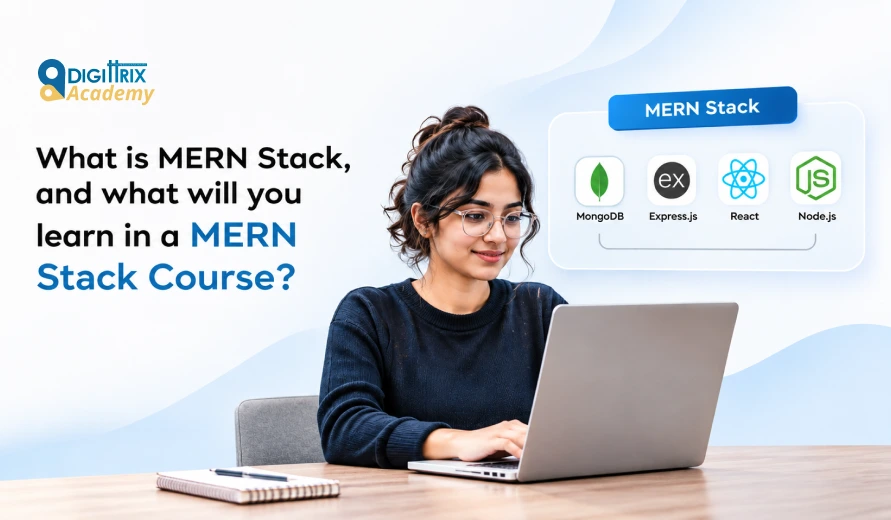
Short answer: The MERN stack is a set of four JavaScript technologies for building web applications: MongoDB (database), Express.js (server framework), React (front end), and Node.js (runtime). A MERN stack course teaches you web basics, JavaScript, React, Node.js, Express, MongoDB, authentication, APIs, Git, and deployment, and ends with real projects. Beginners can study it without prior coding experience, and most courses take three to six months.
What Is MERN Stack? A Simple Explanation
Want to gain practical experience with React Native development? Check Digittrix Academy's guide to top React Native projects in Chandigarh to see the types of real-world applications you can build while developing your skills!
MERN stands for MongoDB, Express.js, React, and Node.js. Developers use these four tools together to build full-stack web apps, from login pages to online stores and dashboards. All four use JavaScript, so a single developer can write the entire application in one language.
|
Letter |
Technology |
Role in the app |
|
M |
MongoDB |
Stores data as flexible, JSON-style documents |
|
E |
Express.js |
Handles routes, requests and server logic on top of Node.js |
|
R |
React |
Builds the screens that users see and click |
|
N |
Node.js |
Runs JavaScript on the server |
How the MERN Stack Works
Here is what happens when a user opens a MERN app and submits a form:
- React shows the page and collects the form data in the browser.
- React sends the data to the server as an API request.
- Express.js, running on Node.js, receives the request, checks it, and applies the business rules.
- The server saves or reads data in MongoDB.
- The server sends a JSON response back.
- React updates the screen with the new data, without reloading the page.
This flow keeps the front end and back end separate, which makes apps easier to build, test and grow.
Why Developers Choose the MERN Stack
- One language: JavaScript works in the browser, on the server and in database queries.
- JSON everywhere: Data keeps the same shape from MongoDB to React, so you convert less data.
- Large community: All four tools are open source, with active communities, documentation and free tutorials.
- Fast development: React components and Node.js packages let teams build and change features quickly.
- Strong job demand: Startups, agencies and product companies hire React and Node.js developers.
- Scales with the product: You can start with a small app and add caching, queues and cloud hosting later.
MERN Compared With Other Stacks in a Full Stack Web Development Course
|
Stack |
Languages and tools |
Best for |
|
MERN |
MongoDB, Express, React, Node.js |
One-language teams, fast web apps, startups |
|
MEAN |
MongoDB, Express, Angular, Node.js |
Teams that prefer Angular’s strict structure |
|
LAMP |
Linux, Apache, MySQL, PHP |
Traditional websites and WordPress-style work |
|
Python stack |
Django or Flask, a SQL database, a JS front end |
Data-heavy products and teams with Python skills |
No stack wins in every case. MERN suits beginners because they study one language and build full products.
MERN Stack Syllabus: What You Will Study in a MERN Stack Course
Institutes differ, but a solid MERN stack syllabus covers these modules in order.
|
Module |
Main topics |
|
1. Web basics |
HTML, CSS, responsive design, Git, terminal |
|
2. JavaScript |
ES6+, DOM, async code, APIs |
|
3. React |
Components, props, state, hooks, routing, forms |
|
4. Node.js |
Modules, npm, file system, events |
|
5. Express.js |
Routes, middleware, REST APIs, error handling |
|
6. MongoDB |
CRUD, Mongoose, schemas, relationships, indexes |
|
7. Security |
Login, JWT, password hashing, validation |
|
8. Extras |
File upload, payments, email, real-time chat |
|
9. Delivery |
Testing, deployment, environment settings |
|
10. Projects |
Capstone apps, resume and interview preparation |
Module 1: Web Basics, Git and the Terminal
You start with how websites work: browsers, servers, HTTP, and URLs. You build pages with HTML and CSS, using Flexbox, Grid, and media queries for mobile devices. You also use Git and GitHub to version control and share code.
Module 2: JavaScript
JavaScript is the core of the stack, so a good course dedicates the most time to it. Topics include variables, functions, arrays, objects, loops, closures, the DOM, events, promises, async/await, and the fetch API. You also study modern syntax, including destructuring, modules, and arrow functions.
Module 3: React
You build the front end with React. You study components, props, state, useState, useEffect, conditional rendering, lists, forms, and React Router. Many courses also cover shared-state tools such as Redux Toolkit or the built-in useReducer, as well as API calls and loading states.
Module 4: Node.js
You study how Node.js runs JavaScript outside the browser. Topics include modules, npm packages, the file system, environment variables and the event loop. You also write your first small server.
Module 5: Express.js
Express turns Node.js into a web server. You create routes, controllers, and middleware; build REST APIs; handle errors; and test endpoints with Postman or Thunder Client.
Module 6: MongoDB and Mongoose
You store data in MongoDB, often hosted on MongoDB Atlas. You study collections, documents, CRUD operations, Mongoose schemas and models, data relationships, indexes, and basic aggregation. Many courses include a brief introduction to SQL, since employers also use SQL databases.
Module 7: Authentication and Security
You build sign-up and login with password hashing (bcrypt) and JSON Web Tokens. You protect routes, validate input, set CORS rules and keep secrets out of your code.
Module 8: Real-World Features
Courses often add features that real apps need: image uploads, payment gateways, email sending, search, pagination, and real-time chat via Socket.IO.
Module 9: Testing and Deployment
You test APIs and components, then deploy the front end to a host such as Vercel or Netlify and the back end to a host such as Render or Railway. You also set environment variables, connect a custom domain and read basic server logs.
Module 10: Projects, Resume and Interview Preparation
The course ends with capstone projects, a GitHub portfolio, a resume, and practice interviews covering JavaScript, React, Node.js,, and MongoDB.
MERN Stack Projects You Can Build in a Course
|
Level |
Project |
Skills it shows |
|
Starter |
To-do or expense tracker |
CRUD, state, forms |
|
Intermediate |
Blog or job board with login |
Authentication, roles, search |
|
Intermediate |
E-commerce store |
Cart, orders, payments, admin panel |
|
Advanced |
Real-time chat or booking app |
Socket.IO, rooms, live updates |
|
Advanced |
Dashboard with charts |
Aggregation, API design, caching |
Employers read your projects before they read your certificate. A good MERN stack course gives you time to deploy each project and add a README with a live link.
Skills You Gain From the Course
Technical skills:
- Build responsive front ends with React
- Design and secure REST APIs
- Model and query data in MongoDB
- Use Git, GitHub, and deployment tools
- Debug code with browser tools and server logs
Professional skills:
- Break a product idea into features and tasks
- Read documentation and fix errors on your own
- Explain your code and design choices
- Work in a team with branches and pull requests
Who Should Join a MERN Stack Development Course?
- Students and freshers who want a first developer job
- Career switchers from non-technical roles
- Designers who want to build working products
- Freelancers who want to offer full-stack services
- Founders who want to build and test their own product
You do not need prior coding experience to join a beginner MERN stack course. You need a laptop, consistent time to practice, and patience with errors. Basic computer skills and logical thinking help.
How Long Does a MERN Stack Course Take?
Duration depends on your starting level and weekly hours.
|
Starting point |
Typical time at 10 to 15 hours a week |
|
Complete beginner |
5 to 7 months |
|
Knows basic HTML, CSS, and JavaScript |
3 to 5 months |
|
Already codes in another language |
2 to 3 months |
Short crash versions of a MERN stack development course cover the basics fast, but real skill needs projects and practice after class.
Career Options After a MERN Course
|
Role |
What you do |
|
MERN stack developer |
Build full applications across front end and back end |
|
React developer |
Focus on user interfaces and front-end logic |
|
Node.js developer |
Build APIs, databases and server features |
|
Full stack developer |
Work across the whole product |
|
Freelance web developer |
Build sites and apps for clients |
After a MERN stack course, hiring occurs across startups, agencies, product companies, and IT services firms in cities such as Chandigarh, Mohali, Gurugram, Noida, Bengaluru, Pune, and Hyderabad, as well as through remote roles. Pay varies by city, company, and skill level, so check current job listings and salary reports before setting a target.
Planning a career in full-stack development? Check Digittrix Academy's guide to MERN stack developer jobs in India to understand salary expectations, career growth opportunities, and current hiring trends!
How to Choose a Good MERN Stack Course
Check these points before you pay for MERN stack training:
- Updated syllabus: It should cover modern React (hooks), Node.js, Express and MongoDB with Mongoose.
- Projects: Look for several deployed projects, not only small exercises.
- Practical time: Most hours should involve writing code, not only watching lectures.
- Mentor support: You need a person who reviews your code and answers questions.
- Git and deployment: The course should teach both.
- Interview preparation: Look for mock interviews and resume help.
- Honest promises: Be careful with guarantees of a job or fixed salary.
- Demo class and reviews: Attend a demo and read recent student feedback.
Tips to Get the Most From MERN Stack Training
- Code every day, even for 30 minutes.
- Rebuild each lesson without looking at the video or notes.
- Add your own feature to every class project.
- Commit to GitHub daily and write clear messages.
- Read official docs from MDN, React, Node.js and MongoDB.
- Ask for help after you try to solve the problem yourself.
- Start your portfolio early: deploy MERN stack projects as you go.
Common Mistakes Beginners Make
- Jumping to React before they understand JavaScript
- Watching videos without writing code
- Skipping Git and deployment
- Copying projects without changes
- Switching stacks every few weeks
- Ignoring database design and security
Avoid these mistakes, and your MERN stack course will translate into skills employers can see.
Start Your MERN Stack Journey With Digittrix Academy
Choosing the right course matters, and the best courses provide projects, mentor feedback, and clear guidance. Digittrix Academy offers MERN stack training covering MongoDB, Express.js, React, and Node.js. You build and deploy projects step by step while preparing for your first developer role.
To ask about courses and admissions, email tanvi@digittrix.com.
About the author
Co-Founder: Harsh Abrol
With over 14 years of Experience in the IT Field, helping companies optimise their products for more Conversions.
Categories
MERN DevelopmentTable of Contents
- What Is MERN Stack? A Simple Explanation
- How the MERN Stack Works
- Why Developers Choose the MERN Stack
- MERN Compared With Other Stacks in a Full Stack Web Development Course
-
- Module 1: Web Basics, Git and the Terminal
- Module 2: JavaScript
- Module 3: React
- Module 4: Node.js
- Module 5: Express.js
- Module 6: MongoDB and Mongoose
- Module 7: Authentication and Security
- Module 8: Real-World Features
- Module 9: Testing and Deployment
- Module 10: Projects, Resume and Interview Preparation
- MERN Stack Projects You Can Build in a Course
- Skills You Gain From the Course
- Who Should Join a MERN Stack Development Course?
- How Long Does a MERN Stack Course Take?
- Career Options After a MERN Course
- How to Choose a Good MERN Stack Course
- Tips to Get the Most From MERN Stack Training
- Common Mistakes Beginners Make
- Start Your MERN Stack Journey With Digittrix Academy